How to Activate a GOG Game Key
Learn how to redeem GOG game codes in 4 easy steps. GOG offers DRM-free games — no client required to play.
Guide2 min read
1
Visit GOG.com and sign in
Go to gog.com in your browser and log into your existing account or create a new one if needed.
2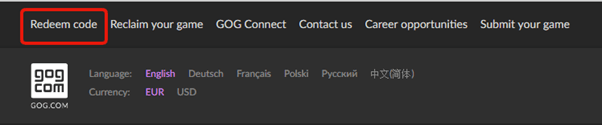
Click "Redeem code"
Scroll down the homepage and look for the Redeem code link, or go directly to gog.com/redeem.
3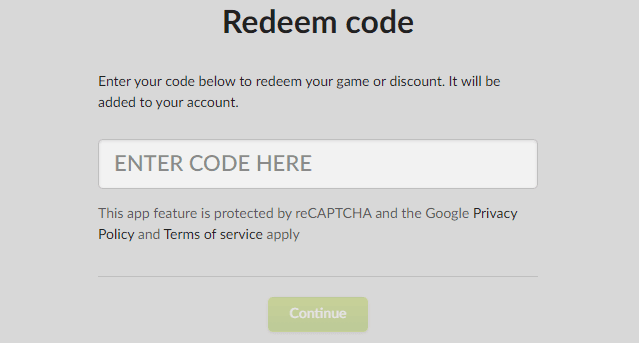
Enter your game code
Type or paste the activation key into the designated field and click "Continue".
4
Confirm and redeem
You'll see a preview of what you're getting. Click "Redeem" to add the game to your GOG library, or "Cancel" if you change your mind.
Frequently Asked Questions
Are GOG games really DRM-free?
Yes! All games on GOG are 100% DRM-free. Once downloaded, you can play offline, back up the installer, and play on any compatible device — no online checks required.
Can I play GOG games on Steam Deck?
Yes, many GOG games work on Steam Deck using the Heroic Games Launcher or Lutris. GOG also offers GOG Galaxy for managing your library across platforms.
Do I need GOG Galaxy to play my games?
No, GOG Galaxy is optional. You can download standalone offline installers directly from gog.com/account for any purchased game.