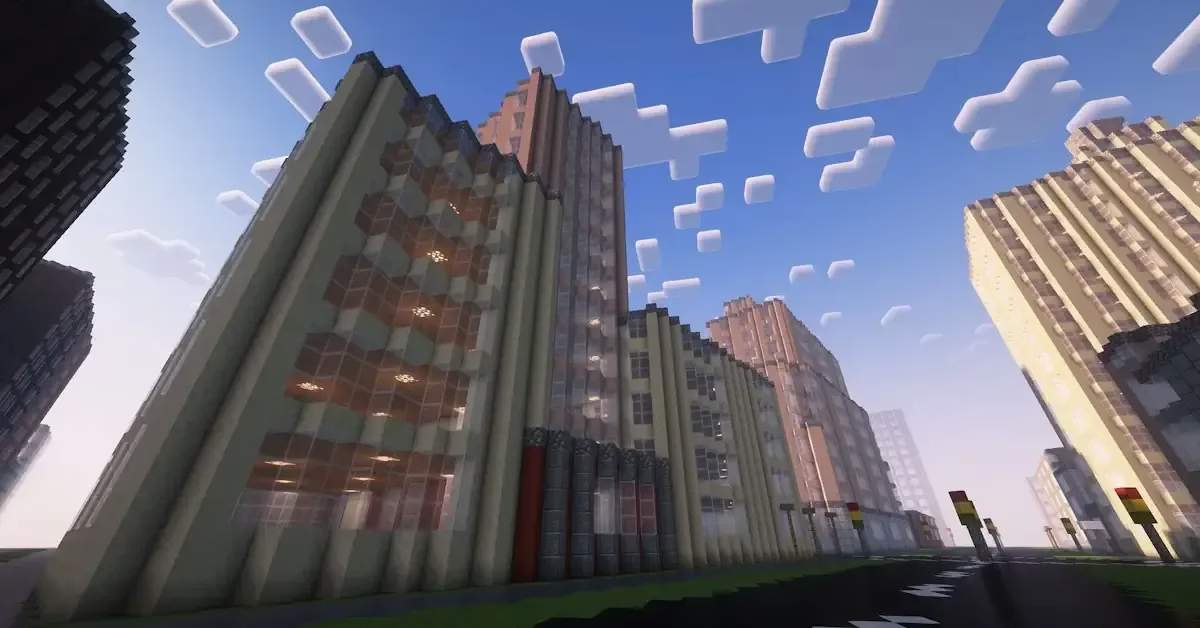
Okay, so I've been playing Minecraft for YEARS now, and I thought I'd seen everything this game had to offer. But then I stumbled upon something absolutely mind-blowing that completely reignited my passion for building – and I just HAVE to share it with you all! 🎮✨
What is Arnis and Why Am I Obsessed?
So basically, Arnis is this incredible open-source project created by a talented young developer named Louis Erbkamm. What makes it special? Well, imagine being able to take ANY real-world location – your neighborhood, your favorite city, even that cool vacation spot you visited last summer – and recreating it perfectly in Minecraft! 🌍➡️🎮
I know what you're thinking: "Wait, people have been making real-world maps in Minecraft forever!" But here's the thing – Arnis does it AUTOMATICALLY using OpenStreetMap data. No more spending hundreds of hours manually placing blocks. This tool does the heavy lifting for you!
My First Experience: Recreating My Hometown
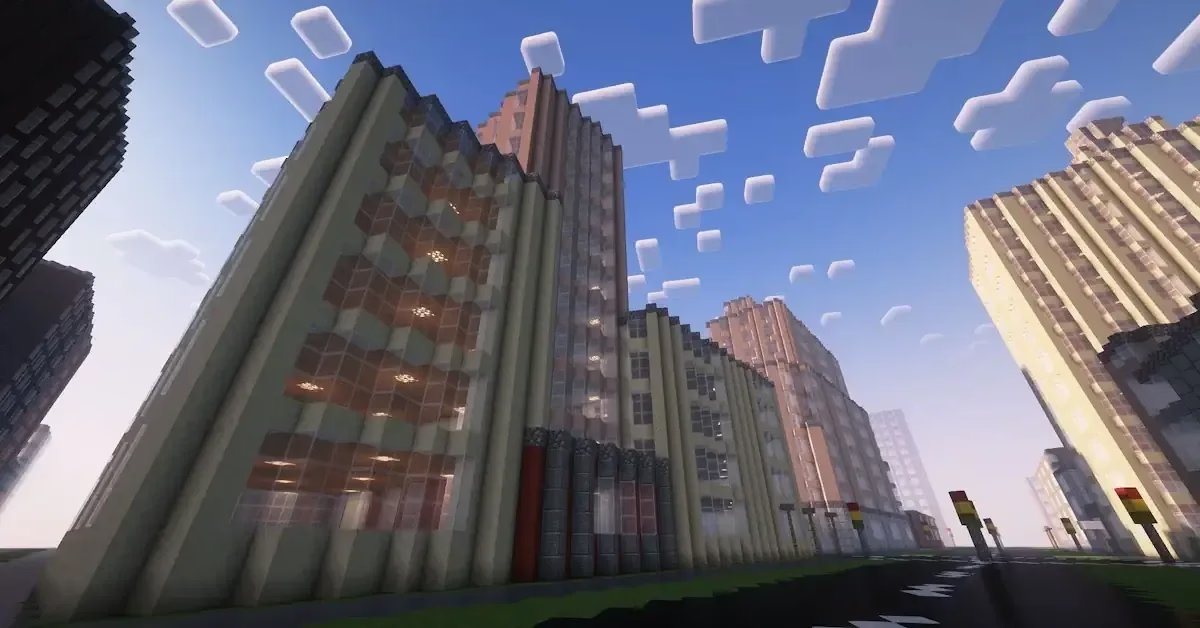
When I first tried Arnis, I decided to start small and recreate my own neighborhood. I'll be honest – I was skeptical at first. How accurate could an automated tool really be? But after downloading the latest release from the GitHub page and following the straightforward setup, I was absolutely SHOCKED at the results! 😱
The level of detail was insane! The tool pulled data from OpenStreetMap and converted everything into Minecraft blocks with surprising accuracy. Streets lined up perfectly, buildings appeared in the right locations, and even smaller details like parks and parking lots were represented.
Here's what impressed me most:
-
Accuracy of building placement – Everything was exactly where it should be
-
Terrain elevation – The new Alpine v2.20 update added realistic height variations
-
Street networks – Roads and pathways were incredibly detailed
-
Speed – What would've taken me MONTHS was done in minutes!
The Technical Magic Behind Arnis
Now, I'm not a developer myself, but I find the technical side of this project fascinating! Originally written in Python, the project was completely rewritten in Rust back in August 2024, which made it significantly faster and more efficient. 💻⚡
The process Arnis follows is actually pretty cool:
-
Geographic Data Retrieval – It grabs real-world data from the Overpass API
-
Data Conversion – Transforms that geographic info into Minecraft coordinates
-
Element Prioritization – Sorts elements by importance to prevent overlapping conflicts
-
World Generation – Converts all those data points into actual Minecraft blocks
-
Terrain Creation – Builds appropriate terrain that matches the scale of structures
-
World Saving – Packages everything into proper Minecraft region files
What really gets me excited is that this isn't just some abandoned side project. The developer is actively working on it, with the latest Alpine v2.20 version bringing tons of optimizations, bug fixes, and that game-changing terrain elevation feature I mentioned! 🏔️
Getting Started: It's Easier Than You Think!
Let me walk you through how I got started, because honestly, it's SO much easier than I expected:
Step 1: Head over to the official GitHub page (louis-e/arnis)
Step 2: Download the latest release (or if you're feeling adventurous, compile it yourself)
Step 3: Select the geographic area you want to recreate
Step 4: Click "Start Generation" and watch the magic happen! ✨
Pro tip: Make sure to enable terrain generation based on your Minecraft version. I'm running 1.21.4, which the developer says is the most compatible version right now. Trust me, the terrain elevation makes SUCH a difference in how realistic everything looks!
What I've Built So Far
Since discovering Arnis a few weeks ago, I've gone absolutely WILD with projects:
Project 1: My University Campus
This was my second project, and wow – walking through my digital campus felt surreal! I could identify every building, every pathway I'd walked down hundreds of times. Some of my friends even joined my server to explore, and they were blown away! 🎓
Project 2: A Tourist City I Visited
Remember that amazing trip to Prague I took last year? Well, now I have a Minecraft version of the city center! It's become this cool way to relive memories and show friends the places I visited. The historic architecture translates surprisingly well into blocks! 🏰
Project 3: My Childhood Neighborhood
This one got emotional, not gonna lie. I moved away years ago, and some things have changed in real life. But thanks to OpenStreetMap data and Arnis, I could recreate the neighborhood exactly as I remember it. It's like a time capsule! 🏡💕
The Community Aspect
What I LOVE about Arnis being open-source is the community involvement. The GitHub page has an active issues section where people report bugs, suggest features, and help each other troubleshoot problems.
I've seen some absolutely INCREDIBLE creations shared by other users:
| Project Type | Coolness Factor | Build Time |
|---|---|---|
| Entire Cities | 🔥🔥🔥🔥🔥 | Minutes! |
| Historic Districts | 🔥🔥🔥🔥 | Under an hour |
| Personal Neighborhoods | 🔥🔥🔥 | 15-30 minutes |
| Vacation Destinations | 🔥🔥🔥🔥 | Varies |
The fact that I can examine the source code, understand how it works, and even contribute my own improvements (if I ever level up my coding skills!) makes this feel like more than just a tool – it's a collaborative creative platform.
Challenges and Limitations
Okay, let's keep it real for a second. Arnis isn't perfect (yet!), and I want to be upfront about some challenges I've encountered:
Known Issues I've Experienced:
-
Sometimes buildings don't have the exact architectural details (it's still blocks, after all!)
-
Complex highway interchanges can look a bit wonky
-
Some areas with incomplete OpenStreetMap data won't render as detailed
-
Version compatibility can be tricky – stick with 1.21.4 for now!
BUT – and this is important – the developer is constantly working on fixes. The changelog for each update shows genuine progress, and many issues I noticed early on have already been addressed in newer versions. That's the beauty of an actively maintained open-source project! 🛠️
Creative Possibilities Beyond Just Recreation
Here's where things get REALLY interesting. While Arnis is designed to recreate real-world locations, I've started using it as a foundation for completely new creative projects:
Post-Apocalyptic City Server
I generated a detailed city map, then my friends and I are gradually "destroying" it and adding post-apocalyptic elements. Having that realistic urban foundation made our survival server feel SO much more immersive! 🧟
Urban Planning Experiments
I've actually started using Arnis-generated maps to test urban planning ideas. What if we added more parks? Pedestrian zones? It's become this unexpected educational tool! 📊
Adventure Maps
Generating real locations and then adding custom objectives, monsters, and quests creates incredibly unique adventure maps. The realistic base makes everything feel more grounded.
Technical Performance
Let's talk specs for a minute. I'm running a pretty mid-range gaming setup, and Arnis handles world generation surprisingly well. The switch from Python to Rust back in August 2024 was apparently a HUGE performance boost.
My experience:
-
Small neighborhood (1km²): Generated in under 5 minutes ⚡
-
Medium city district (5km²): About 15-20 minutes
-
Large urban area (10km²+): 30-45 minutes depending on density
Not bad at all considering what you're getting! And once it's generated, it plays like any normal Minecraft world – no performance issues during gameplay.
Comparing Arnis to Manual Building
I've spent literally YEARS building things manually in Minecraft, so I feel qualified to compare:
Manual Building:
-
✅ Complete creative control
-
✅ Satisfaction of building everything yourself
-
❌ Incredibly time-consuming
-
❌ Difficult to achieve realistic proportions
-
❌ Research-intensive for real locations
Using Arnis:
-
✅ Incredibly fast
-
✅ Accurate real-world proportions
-
✅ Perfect for large-scale projects
-
✅ Great foundation for further customization
-
❌ Less personal attachment initially
-
❌ Requires post-generation detailing for perfection
Honestly? I see them as complementary rather than competing. Arnis gives me the perfect foundation, and then I can spend my time adding those personal touches and custom details rather than measuring out streets! 🎨
The Future of Arnis
Based on the development trajectory and community feedback, I'm SO excited about where this project is heading! The roadmap hints at:
-
Improved multi-version compatibility – So everyone can use it regardless of their Minecraft version
-
More detailed building interiors – Currently, buildings are mostly shells
-
Better vegetation rendering – Trees and natural features
-
Custom texture pack integration – Imagine cities with modern building textures! 🏙️
The developer's commitment to continuous improvement is clear from the frequent updates and active community engagement. This isn't just a "release and forget" project – it's evolving constantly.
Tips for New Arnis Users
Based on my experience, here's my advice:
-
Start small! Don't try to generate an entire city on your first attempt. Pick a small neighborhood to get familiar with the process.
-
Check OpenStreetMap first – Visit openstreetmap.org and check how detailed your chosen area is. More data = better results!
-
Use version 1.21.4 – Seriously, save yourself the headache and use the most compatible version.
-
Plan for post-processing – Think of Arnis as giving you an 80% complete world. That last 20% of details is where YOUR creativity shines! ✨
-
Join the community – Check the GitHub issues, join discussions, and learn from other users' experiences.
-
Backup everything – Before generating a new area, always backup your worlds. Better safe than sorry!
-
Experiment with different locations – Some areas work better than others. Urban areas with good OpenStreetMap coverage are ideal.
Why This Matters for Minecraft's Future
You know what's wild? Minecraft launched officially over 14 years ago, and people are STILL finding new ways to push its boundaries! Projects like Arnis prove that even after all this time, the creative potential is far from exhausted.
The combination of real-world data with Minecraft's creative freedom opens up possibilities we haven't even fully explored yet:
-
🎓 Educational applications – Imagine history classes exploring ancient cities recreated in Minecraft
-
🏗️ Urban planning visualization – Testing city design concepts in an interactive environment
-
🌍 Cultural preservation – Documenting and preserving notable locations digitally
-
🎮 New gaming experiences – Realistic settings for custom game modes and servers
My Final Thoughts
Look, I've played Minecraft since I was a kid, and I genuinely thought I'd experienced everything the game could offer. But Arnis has completely reinvigorated my passion for the game in a way I didn't expect! 💖
The ability to bridge the gap between the real world and Minecraft's blocky universe feels almost magical. Walking down digital versions of streets I know in real life, recognizing buildings and landmarks – it creates this unique connection that purely fictional builds just can't match.
Is Arnis perfect? No, but it doesn't need to be. What matters is that it's:
-
✨ Actively developed
-
✨ Community-driven
-
✨ Constantly improving
-
✨ Free and open-source
-
✨ Incredibly fun to use!
Whether you're a longtime Minecraft veteran looking for fresh inspiration, an educator seeking innovative teaching tools, or just someone who thinks it would be cool to build a zombie apocalypse scenario in your hometown – Arnis is absolutely worth checking out!
How to Get Started Right Now
Ready to try it yourself? Here's your action plan:
-
Visit the official GitHub page for Arnis (search for louis-e/arnis)
-
Download the latest Alpine v2.20 release
-
Think about what location you want to recreate first
-
Follow the simple setup instructions
-
Generate your first world and prepare to be amazed! 🚀
Seriously, don't overthink it. Just pick a location that means something to you and give it a shot. The worst that happens is you get a cool Minecraft world out of it. The best that happens? You discover a whole new way to experience both Minecraft and the places you love.
I'd LOVE to hear about your experiences if you try Arnis! What locations are you planning to recreate? Have you already used it? Drop your stories below – I'm always looking for inspiration for my next project! 💬
Remember, the beauty of Minecraft has always been about unleashing your imagination and creativity. Arnis is just another tool in our creative arsenal, and honestly? It's one of the coolest ones to emerge in years. The fact that we're still getting innovations like this in 2026 proves that Minecraft's legacy as a creative platform is stronger than ever! 🎮✨
Now if you'll excuse me, I have a digital recreation of Tokyo to finish... 🗼😄
If you're looking for more gaming adventures, right now you can Buy Rust CD Key at an all-time low of just $6.26 on DealNest, saving 69%. Happy gaming!